
 Preview PDF
 Worksheet + answer key
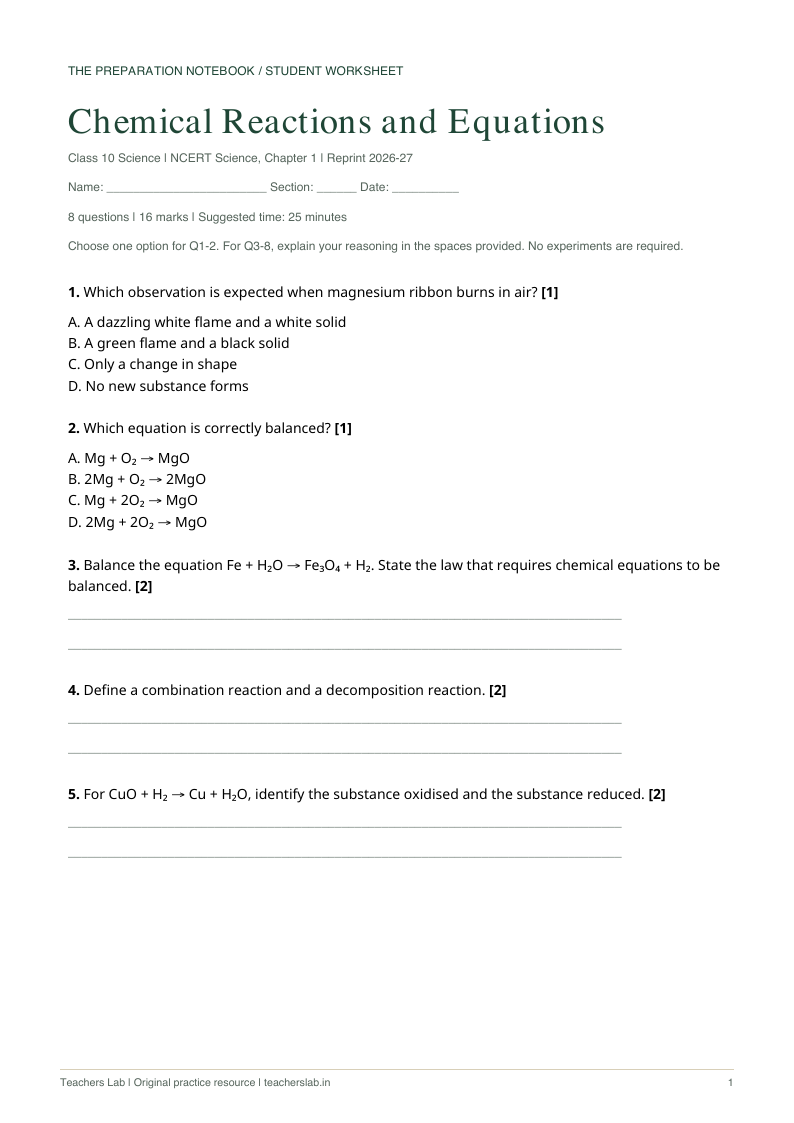
Chemical Reactions & Equations
Class 10 · Science · English
Eight questions, a printable practice sheet and a separate answer key.
See how it was madeCreate lesson plans, worksheets and presentations from books or topics. Keep your classes and teaching resources together.
Choose a book chapter or write your own topic.
Chemical Reactions and Equations
SEE WHAT YOU CAN MAKE
Preview and download a sample. No sign-in needed.
Preview PDF Worksheet + answer key
Class 10 · Science · English
Eight questions, a printable practice sheet and a separate answer key.
See how it was made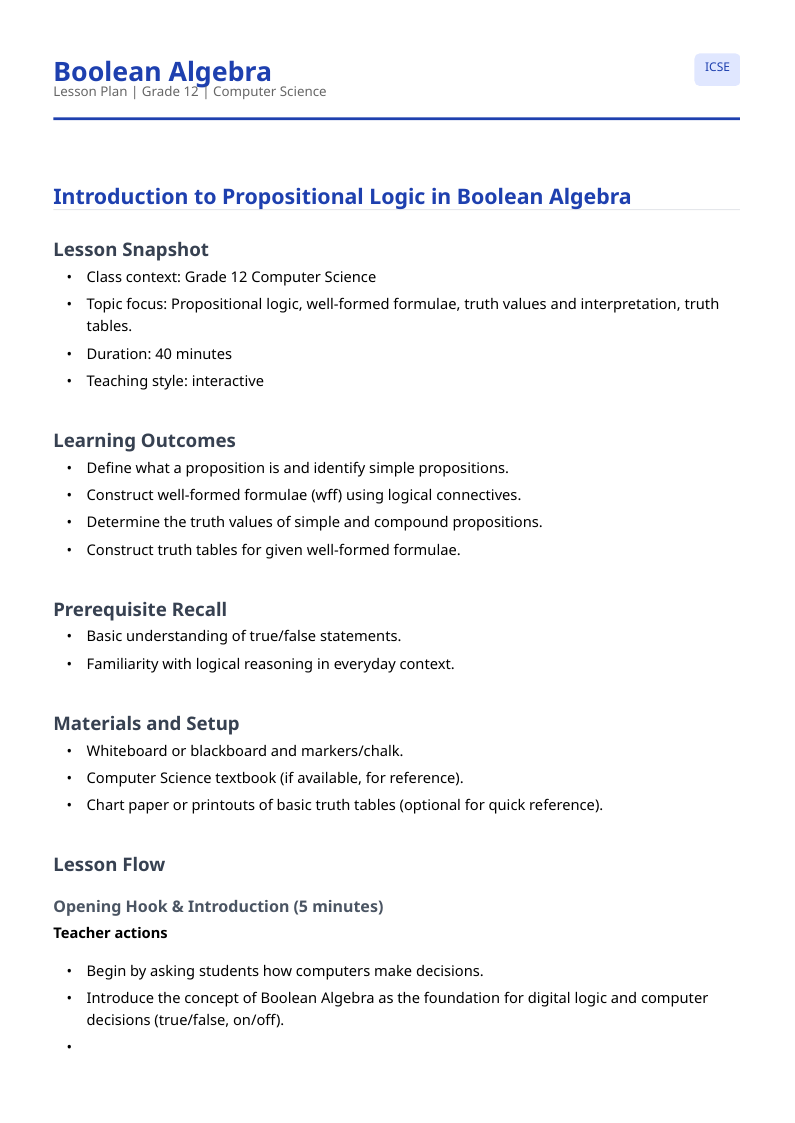 Preview PDF
 Lesson plan
Class 12 · Computer Science
A 40-minute introduction to propositions, logical connectives and truth tables.
 Welcome to Integration
Presentation
Class 12 · Mathematics
An eight-slide introduction to integration and antiderivatives, in editable PowerPoint format.
AI-assisted drafts · Review for your class before teaching
FROM CHAPTER TO CLASSROOM
Open an NCERT chapter or start with a topic and your classroom context.
Make your resource. Adjust the language, add examples or change the difficulty.
Review and save your work. Download it or share a PDF link on WhatsApp.
BUILT-IN NCERT BOOK CATALOGUE
Browse NCERT books, read chapters and keep your teaching books on one shelf.
Explore the digital library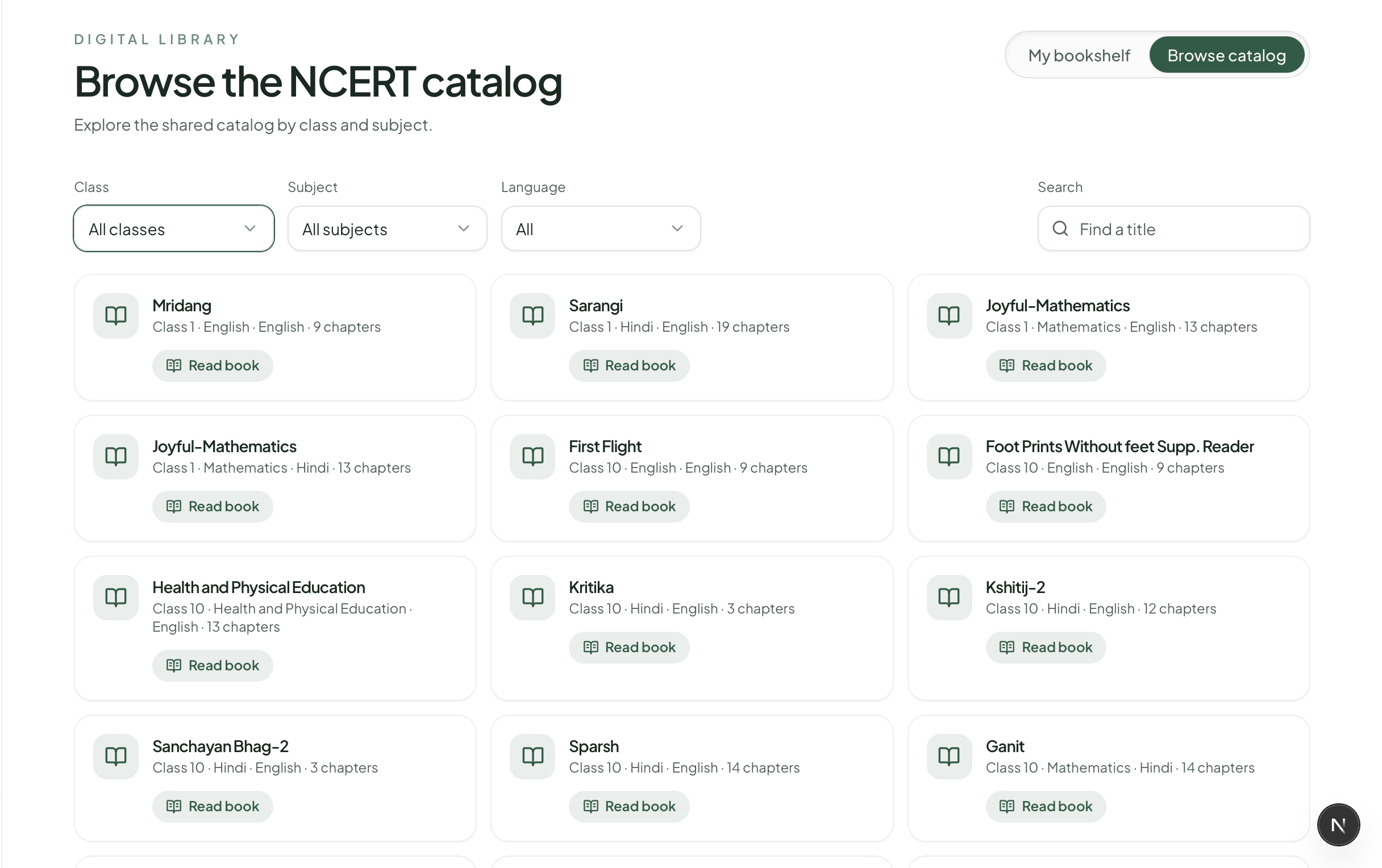
YOUR CLASSES. YOUR BOOKS. ONE HOME.
Keep your classes, saved books and teaching resources together. See what’s covered and pick up where you left off.
Set up your classrooms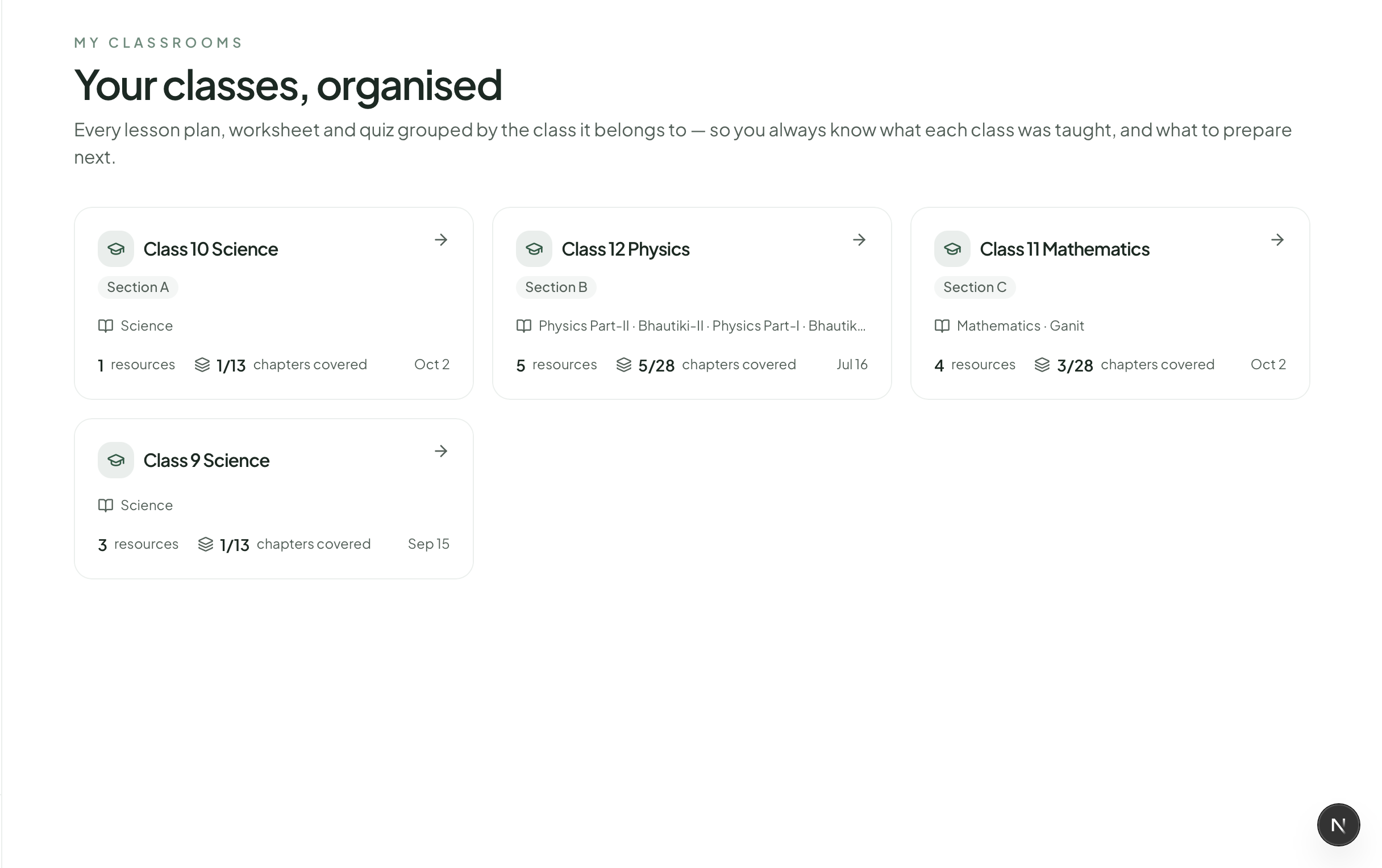
YOUR EVERYDAY TEACHING TOOLKIT
Choose what your next lesson needs.
Objectives, classroom sequence, assessment ideas, and homework — all in one structured flow.
Create lesson planPractice sheets with varied question types and difficulty control.
Create worksheetQuick assessments for revision, class checks, or timed evaluation.
Create quizBoard-style exam papers with sections, blueprint, marks per question, and a marking scheme.
Create question paperCondensed revision notes with key terms, formulas, and diagrams to draw.
Create chapter notesQuick daily assignments with an easy-to-medium mix and answer key.
Create homeworkHigher-order thinking questions grounded in textbook or uploaded context.
Create hotsClassroom activities aligned to topic, grade, and available time.
Create activity ideasProjector-ready slide decks with AI visuals, classroom themes, and a PPTX download.
Create presentationTAKE A CLOSER LOOK
See the actual workflow, from choosing your source to creating a deck for your next lesson.
YOUR TEACHING JUDGEMENT COMES FIRST
Choose the source, review the answers and refine the draft for your students. Our public examples show the materials and the steps behind them.
START WITH A REAL LESSON
Explore the library and classrooms, with limited daily text creation and monthly presentation and AI-image allowances. Refinements count towards text usage.
Your workspace shows the exact allowance and remaining usage for your account.
A FEW THINGS YOU MIGHT BE WONDERING
Yes. Open a book from the NCERT catalogue or your bookshelf and read its pages inside Teachers Lab. Use the chapter list to move to the part you want to teach.
Teachers Lab has a built-in NCERT book catalogue, with CBSE and ICSE curriculum support. The generator also offers a State Board option for topic-based preparation. Textbook availability and curriculum coverage vary; check your source and syllabus before teaching.
Yes. Choose English or Hindi when preparing your resource, so your material fits the medium you teach in.
No. Choose a tool, select a chapter or enter a topic, and add your class details. You can then edit the draft or ask AI to refine it.
Yes. Review and edit your resources in the workspace, save versions, and export them for your classroom. Presentations also support PPTX export.
Yes. You can start with the free plan. Visit the pricing page for current plan details and generation allowances.
Bring your books, your topics and your way of teaching.
Start free Explore plans and pricing